Have you ever felt like your computer is actually a giant pile of digital paperwork? We’ve all been there. You start the day ready to connect with people, but you end up spending four hours typing names into spreadsheets or chasing down an email you forgot to send. It’s exhausting. It feels like the “human” part of your business is getting buried under a mountain of “to-do” lists.
This is exactly why businesses are moving toward a smarter way of working. It’s called CRM workflow automation. Think of it as a digital assistant that never sleeps, never forgets a name, and handles all the boring stuff so you don’t have to. Instead of staring at data, you get to focus on what actually matters—building real relationships with your customers.
In this guide, we’re going to break down how this works in plain English. We’ll look at why it’s a game-changer and how you can use it to make your workday feel a lot less like a chore and a lot more like a success story.
What Exactly is CRM Automation?
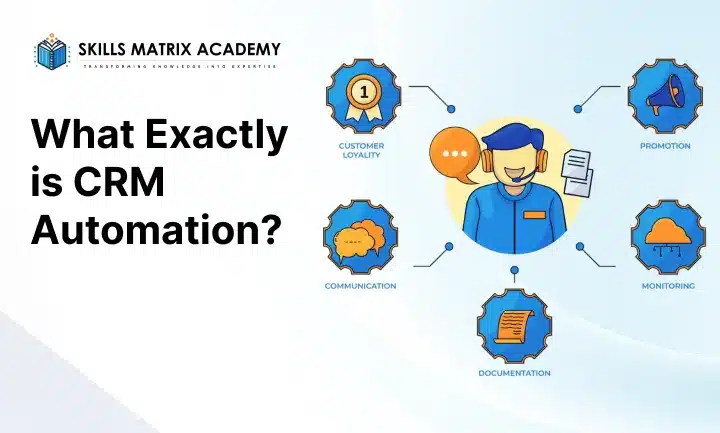
At its heart, CRM automation is about automating the repetitive parts of your job. CRM stands for Customer Relationship Management. Usually, these systems are just fancy digital address books. But when you add CRM workflow automation, that address book starts working for you.
Imagine if, every time a new person signed up for your newsletter, your system automatically sent them a “Welcome” note, added them to your mailing list, and told your salesperson to call them next Tuesday. That’s CRM automation in action. It stops things from falling through the cracks. It’s the difference between a static list and a living, breathing engine for your business.
Today, there are many cloud-based CRM platforms, such as Salesforce CRM automation, HubSpot CRM automation, and Zoho CRM automation. There are even FreshSales CRM tools for those who want something simple. These CRM automation tools help you track every interaction without having to type in every single detail manually.
How the Magic Happens: Triggers, Actions, and Rules
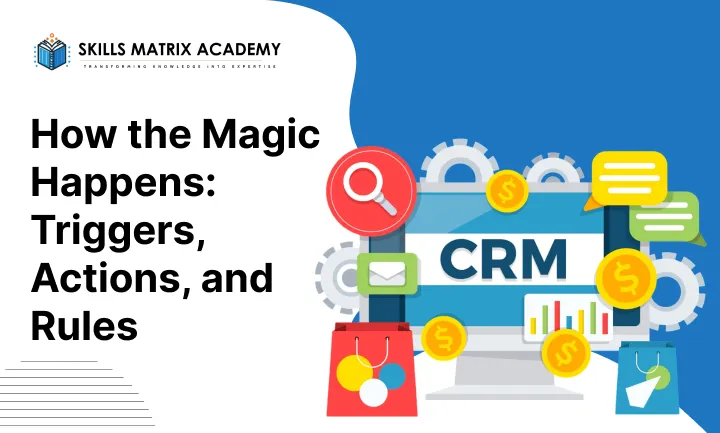
You don’t need to be a computer scientist to understand how CRM process automation works. It usually follows a very simple “If/Then” logic. Professional writers often call these the “Three Pillars” of a workflow:
- Triggers: This is the “If.” It’s an event that starts the chain. For example: “For example: When a customer submits a contact form.”
- Actions: This is the “Then.” It’s what the computer does next. For example: “Then send them a brochure via email.”
- Rules: These are the boundaries. For example: Send the brochure only if they select the pricing option.”
When you combine these, you create CRM workflow management that keeps your business moving 24/7. It’s like setting up a row of dominoes; once the first one falls (the trigger), the rest happen automatically (the actions).
The Main Jobs of an Automated CRM System
When you start looking for CRM automation solutions, you’ll notice they do a lot of different things. But most of the time, they focus on five big areas. These are the “Primary Functions” that make a customer relationship management automation strategy actually work.
1. Organizing Your People (Contact Management)
A CRM contact management system is the foundation. It keeps names, phone numbers, and social media profiles in one place. But with CRM software automation, it does more than that. It updates itself. If a client changes their job title on LinkedIn, a smart automated CRM system might catch it and update your records. No more manual data entry!
2. Finding New Business (Lead Management)
CRM lead management automation is a lifesaver for sales teams. It helps you track a potential customer from the moment they say “hello” to the moment they buy.
- It identifies which leads are the most excited.
- It scores them based on how often they open your emails.
- It moves them through your CRM pipeline management without you having to drag and drop files.
3. Talking to Your Audience (Email and Marketing)
This is where marketing automation CRM really shines. You can set up “drip campaigns.” These are a series of emails that go out over time: one today, one in three days, and a follow-up in a week. CRM email marketing automation ensures your message reaches the right person at the right time, without you having to hit “send” every single morning.
4. Playing Well with Others (Integration)
Great CRM integration tools let your CRM communicate with other apps. It connects to your Google Calendar, your Slack, or your project management tools. This means everyone on your team knows exactly what’s happening. You’ll never have to ask, “Who was the last person to talk to this client?” because the history is right there.
5. Seeing the Big Picture (Analytics)
CRM analytics and reporting take all that raw data and turn it into pretty charts. It helps with conversion optimization because you can see exactly where people are getting stuck in your sales process. When you have high-quality data, you can make smarter decisions for your business’s CRM automation.
The Big Benefits of CRM Automation
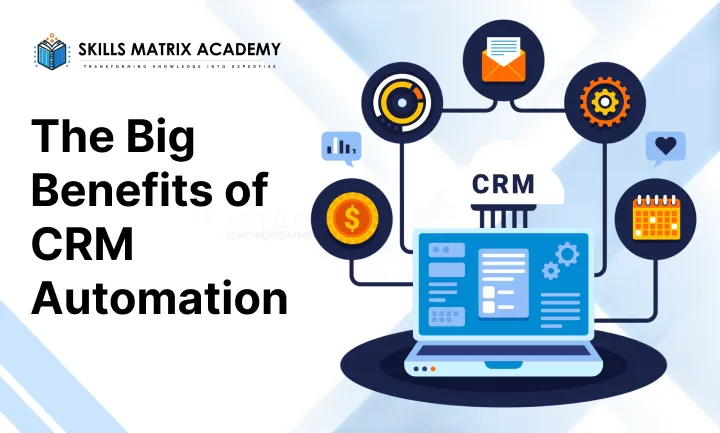
Why should you care about CRM workflow automation? Because it makes life better for your team and your customers. Here is a look at the benefits of CRM automation that most businesses see almost immediately:
- Saving Time: You stop doing boring stuff. This is the biggest part of CRM productivity tools. If you save an hour a day on data entry, you get back 5 hours a week.
- Better Sales: When you use sales automation CRM, you focus on the people most likely to buy. This leads to higher sales conversion rates and better CRM automation ROI.
- Happy Customers: Automation means faster replies. People love it when they get an answer in five minutes instead of five days. This is the core of CRM automation for customer retention.
- No More Mistakes: Humans get tired and make typos. A CRM data entry automation system doesn’t. Your data stays clean and accurate.
- Team Power: When your team isn’t buried in paperwork, they have the energy to be creative and solve complex problems.
Real-World Examples of CRM Workflow in Action
Sometimes it helps to see how others are doing it. CRM workflow examples are everywhere. Let’s look at some common CRM automation use cases that you can start using today:
- Lead Nurturing Automation: A person downloads your eBook. Your automated CRM system sends them a “Thank You” email, then a week later, sends them a related blog post. This helps people remember your brand.
- Customer Onboarding Automation: When someone buys your product, they get an automatic series of “How-to” videos. This reduces the work for your support team and makes the customer feel supported.
- CRM Task Automation: If a big deal hasn’t been touched in three days, the system automatically sends a “Follow up!” reminder to the sales rep.
- Appointment Scheduling CRM: Customers can pick a time on your calendar that works for them. The system then sends the Zoom link and puts it on your schedule automatically.
- CRM Customer Support Automation: If someone asks a question on your site, a CRM chatbot can answer the easy questions immediately, passing the hard ones to a human.
How to Get Started (The Implementation Steps)
Ready to dive in? CRM automation implementation steps don’t have to be scary. You need a plan. Here is a simple CRM automation strategy to follow:
Identify What Hurts
Start by looking at your day. What task do you hate doing because it’s repetitive? If your team struggles with follow-ups, lead-nurturing automation should be your priority.
Pick Your Tool
Don’t just buy the most expensive one. Choose a system that suits your business size. CRM automation for small businesses looks different from that for enterprises. Compare HubSpot CRM automation vs Zoho CRM automation to see which feels more “you.”
Map the Journey
Before you turn on the computer, draw your workflow on paper. Use CRM workflow triggers, actions, and rules to map out the path. If X happens, then Y should occur.
Test and Tweak
Never launch a big automation without testing it on yourself first. Send the test emails to your own inbox. Make sure the CRM workflow optimization is actually making things easier, not more confusing.
Learning from the Pros: Case Studies
The best CRM automation case studies show how much money and time can be saved. Take the insurance firm, Holmes Murphy. They used AI in their CRM automation to determine when people were most likely to open emails. By sending messages at the perfect time, they saved 44,000 hours of work!
Another great example is the book publisher Wiley. They used CRM chatbot automation to handle the huge rush of students at the start of the school year. They saved $230,000 a year by not having to hire as many seasonal workers. This is the power of AI-powered CRM tools.
The Future of the Automated CRM
What’s next? The future trends in CRM automation are all about “thinking” systems. We are seeing more machine learning and predictive analytics in CRM. These tools won’t just follow your rules; they will suggest new ones.
Soon, CRM personalization tools will be so good that every customer will feel like you are writing just to them, even if you’re actually sleeping. AI in CRM automation will help us predict which customers might leave before they even know they are unhappy, allowing us to fix the relationship early.
Conclusion: Putting the “Human” Back in Business
At the end of the day, CRM workflow automation isn’t about replacing people. It helps people save time. It’s about using an automated CRM system to handle the “robot work” so you can do the “human work.”
Whether you are looking for the best CRM automation tools 2026 or just trying to get your inbox under control, the goal is the same: better relationships and more growth. By following a smart CRM automation strategy, you can turn your business into a smooth, efficient machine that your customers—and your team—will love.

Bharat Arora
12+ years as a web developer, Bharat has worked in the biggest IT companies in the world. He loves to share his experience in web development.


Bharat Arora
12+ years as a web developer, Bharat has worked in the biggest IT companies in the world. He loves to share his experience in web development.