A LinkedIn summary is your space to tell your story simply and powerfully. It shows who you are, what you do, and why you matter. Today, LinkedIn is one of the biggest platforms for professional networking and job opportunities, so your summary must make an impact fast.
A strong professional summary gives a quick view of your work experience, achievements, and personal interests. These details help recruiters understand your career journey and the value you bring as a candidate. When your summary is clear and engaging, it boosts visibility and enables you to build meaningful connections.
Think of it as a small LinkedIn hack that gets significant results.
Key Elements of a Good LinkedIn Summary
1. Share Achievements Thoughtfully
Your achievements show your real impact. So highlight them clearly and honestly. Recruiters want to see what you’ve done, not just what you handled.
Use simple examples. Add accomplishments, completed projects, and measurable outcomes that show your strengths fast. These details help recruiters understand your value right away.
Use these easy tips to show achievements:
- Use simple numbers to highlight results.
- Add portfolio links or work samples to show real experience.
- Keep the tone natural and friendly to maintain a readable summary.
This approach helps you shine during a recruiter search.
2. Add Personal Touches
Excellent summaries mix professional details with small personal insights. This helps readers connect with your story and understand what drives you.
Share experiences that shaped your motivations and passions. Mention moments that guided your career journey. These details show the human side behind your job title.
Here’s how to add a personal touch:
- Mention experiences that influenced your interests.
- Add small personality traits that match your professional tone.
- Keep personal details short and relevant.
This keeps your professional profile genuine and relatable.
3. Keep the Summary Clear and Simple
A readable summary is easy to scan. Recruiters move fast, so keep your sentences short and direct. Avoid long blocks of text.
Start with your current role. Add your key skills in simple language. Tell readers what you do and how you help.
Here’s how to keep your summary clear:
- State your role and experience in direct words.
- Add a few professional skills early in the summary.
- Adjust language for your audience, whether technical or creative.
Both freshers and experienced professionals can use this approach to create a clean, strong LinkedIn summary.
4. Combine Story With Facts
A powerful summary blends facts with a bit of story. Facts give credibility. Personal insight adds warmth.
Start with your most substantial achievements or key responsibilities. Then share a short insight about what motivates you. This balance shows both your professional impact and human qualities.
Use this quick formula:
- Start with achievements to build trust.
- Add a short personal detail to build a connection.
- Keep both parts balanced so neither one dominates.
This blend creates a summary full of achievements and insights.
5. Use Relevant Keywords Naturally
Keywords help your profile appear in more searches. This is another brilliant LinkedIn hack many professionals ignore.
Use a mix of hard skills, soft skills, job titles, and industry keywords. Add words like ‘data analysis’ or ‘social media marketing’ when relevant. Keep them natural so your summary still reads smoothly.
Use these tips for keyword placement:
- Add keywords in the summary and skills section.
- Mix simple job roles with technical terms.
- Research standard search terms in your industry.
This helps both the freshers’ summary and experienced summary profiles rank higher in searches.
Looking to learn the best ways to get hired via LinkedIn? Here are a few basic tips to help you get the attention you deserve. Each tip is a simple LinkedIn hack that enables you to stand out in a crowded job market.
Great LinkedIn Hacks
1) Be Creative with Your Title
Using an eye-catching title as part of your personal branding can instantly boost your profile. Instead of using generic titles like “writer” or “artist,” try something specific and creative, such as “wordsmith” or “digital storyteller.”
This small LinkedIn hack makes your profile more memorable.
You should also include a short list of 4–8 key skills at the top of your summary. For example:
Skills: Strategic content creation, Facebook Ads, WordPress, Email automation
These details help make the first few lines of your profile clear, unique, and attractive without overwhelming the viewer.
2) Keep Details Up-To-Date
It sounds simple, but keeping your LinkedIn profile up to date is essential. Your current job role, skills, education, certifications, and location must always be accurate.
Recruiters often make decisions within seconds, so having complete information increases your chances of being discovered. This is another subtle yet powerful LinkedIn hack — accuracy improves visibility.
If you work in a niche field like digital marketing, this becomes even more important.
3) Treat LinkedIn as Social Media
LinkedIn is a professional platform, but it is still a social network. Meaning: consistent, valuable, and engaging content works here too.
Post blogs, videos, slideshows, and images regularly. If you share weekly content just like you do on Facebook or Instagram, you can significantly increase your reach.
Using eye-catching visuals and strong headlines is an incredible LinkedIn hack to boost engagement quickly.
4) Go Premium
If you’re serious about job searching, LinkedIn Premium can be extremely helpful. According to LinkedIn, Premium users are 2.6x more likely to get hired.
With Premium, you can:
- Use InMail to message recruiters directly
- Check who has viewed your profile in the past 90 days
- Identify jobs where you are a top applicant
- Access LinkedIn Learning courses
- Select up to 3 jobs each month as your top choices
For many job seekers, this upgrade becomes a practical LinkedIn hack to reach more recruiters.
5) Include Recommendations & Endorsements
Recommendations increase trust, and LinkedIn makes the request process easy. Ask colleagues, managers, or clients to share short testimonials about your work.
Endorsements also help strengthen your profile. Begin by endorsing others. In many cases, they’ll gladly endorse you.
This is a simple LinkedIn hack that improves credibility without much effort.
FAQ’s
How long should a LinkedIn summary be?
A LinkedIn summary works best when it’s short and precise. Aim for 3 to 5 small paragraphs. This length helps you highlight your experience, achievements, and future goals without overwhelming the reader. This simple format also aligns with LinkedIn’s summary length guidelines and keeps your LinkedIn profile optimization on point.
Should I include personal stories in my LinkedIn summary?
Yes, but keep them short. LinkedIn personal stories make your profile feel real and relatable. Share a moment that shows motivation or a skill that shaped your career. Just stay aligned with your professional goals, so your story supports your LinkedIn credibility.
How often should I update my LinkedIn profile?
Check your profile every few months. This habit helps you add new roles, skills, and achievements on time. Regular LinkedIn profile updates also improve your visibility and attract more recruiters.
Can keywords improve my LinkedIn profile visibility?
Absolutely. Using the right LinkedIn keywords boosts your profile in searches. Add them naturally in your summary, skills, and experience sections. This small LinkedIn hack improves visibility without making your content feel forced.
Are recommendations and endorsements important?
Yes, they matter a lot. LinkedIn recommendations and LinkedIn endorsements build trust. They highlight your LinkedIn skills, credibility, and strong professional network. Recruiters also use them as proof of your expertise.

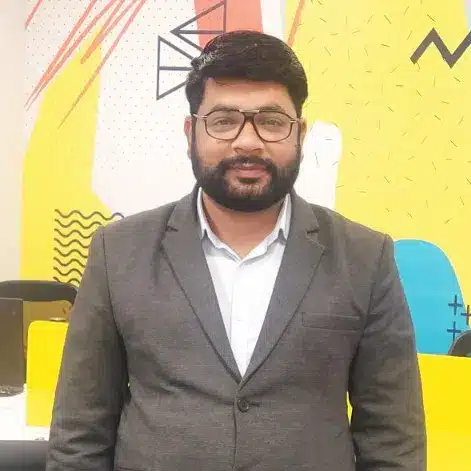
Bharat Arora
12+ years as a web developer, Bharat has worked in the biggest IT companies in the world. He loves to share his experience in web development.
Bharat Arora
12+ years as a web developer, Bharat has worked in the biggest IT companies in the world. He loves to share his experience in web development.